Run 2 Unblocked — Play Free Online
More Runners & Driving games




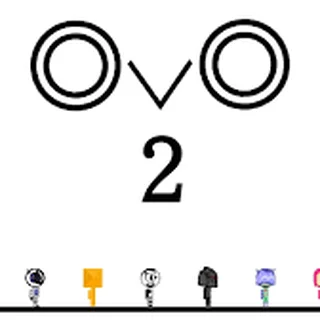
Run 2 unblocked: play Run 2 online free right here in your browser — no download, no sign-up, works on a school Chromebook.
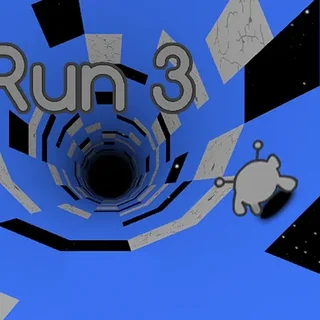
Run 2 puts you inside a floating 3D obstacle course suspended in deep space, where every wall can become your new floor. As you sprint forward through hollow geometric tunnels, jumping across voids and dodging gaps in the architecture, steering into a sidewall rotates the entire world beneath your feet. That seamless shift in gravity turns straightforward obstacle runs into frantic spatial navigation puzzles that test reflexes and spatial awareness in equal measure.
The game features two distinct playable characters: the Runner and the Skater. The Runner offers deliberate footing and high vertical leaps, making precision platforming and tight mid-air corrections easier to manage. The Skater, by contrast, moves at breakneck speeds and glides across wide chasms with long horizontal leaps, demanding faster reaction times and split-second commitments. Choosing between them fundamentally alters how each level flows and how you approach every tricky gap.
For players taking a break from the tension and jumpscares of Poppy Playtime, Run 2 delivers a very different kind of thrill. Instead of surviving monstrous toys in dim toy factories, you are chasing clean rhythm and pure kinetic momentum. Rounds are quick, restarts happen instantly when you fall into the void, and mastering a stubborn stage provides immediate, earned satisfaction.
How to play
Use the left and right arrow keys or A and D to steer left and right along the corridor. Press the Up arrow or Spacebar to jump over holes and gaps in the path. When you steer your character off the edge of the floor into an adjacent wall, gravity dynamically rotates ninety degrees so that wall becomes the ground you walk on.
On touchscreens, tap the screen sides to steer and swipe or tap the jump button to clear chasms. If you misjudge a leap or drift into empty space, you will tumble off the track and the run will instantly reset to the start of the current level with a single keystroke or tap.
Tips for navigating the tunnels
- Look ahead at tunnel geometry: Do not just watch your character's feet. Scan the approaching walls to spot missing floor tiles early and decide which surface offers the safest continuous route.
- Use gravity shifts to bypass wide gaps: When a gap directly ahead looks too broad to clear with a standard jump, steer onto the left or right wall before the drop to find an unbroken lane.
- Match character choice to level design: If a stage requires delicate platform landings on small floating tiles, switch to the Runner for tighter air control. If a stage features massive gaps and wide-open corridors, the Skater can clear long voids with ease.
- Tap jump lightly for short hops: Holding the jump button extends your hang time, but short taps keep you grounded and ready to steer around fast-approaching turns.
Similar games on Poppy Playtime
If you enjoy the fast reflexes and obstacle avoidance in Run 2, check out other action and survival challenges on Poppy Playtime. For frantic chase sequences and monster dodging, try Stickman vs Huggy Wuggy or Survivor in Rainbow Monster. If you prefer methodical tension and puzzle-solving over pure speed, explore the eerie point-and-click mystery of The Visitor.
Questions about Run 2
Is Run 2 unblocked at school?
Run 2 runs in an ordinary browser tab from poppysplaytime.org, with nothing to download or install, so it plays on most school Chromebooks and work computers. If a network filter blocks the site, only that network's administrator can change it.
What is the difference between the Runner and the Skater in Run 2?
The Runner moves at a moderate pace with higher vertical jumps and precise air control, while the Skater moves much faster and covers greater horizontal distance with each jump.
How do you change gravity in Run 2?
Steer into either the left or right wall while running. The camera and gravity will automatically rotate ninety degrees, turning that wall into the new floor.
Can I play Run 2 on a Chromebook or phone?
Yes. Run 2 runs directly in modern desktop and mobile browsers with touch and keyboard controls, requiring no downloads or installation.
Does Run 2 save your level progress?
Yes. Your completed levels and stage unlocks are automatically saved in your browser's local storage so you can resume later.