Tunnel Rush Unblocked — Play Free Online
More Runners & Driving games





Tunnel Rush unblocked: play Tunnel Rush online free right here in your browser — no download, no sign-up, works on a school Chromebook.
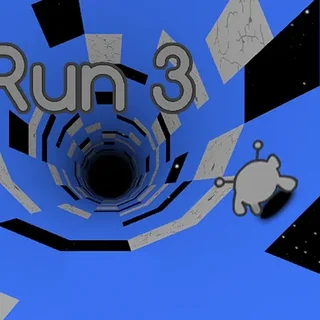
Tunnel Rush is a high-speed arcade runner that puts your reflexes through an intense gauntlet of color and geometry. Viewed from a first-person perspective, you hurtle down an endless cylindrical tube packed with spinning barriers, solid blocks, and swinging wedges. The glowing neon tracks pulse with vibrant patterns, but the visual spectacle quickly demands total concentration as your forward momentum ramps up with every passing second.
For players visiting Poppy Playtime looking for an immediate rush between longer survival sessions, this runner delivers pure adrenaline. There are no complicated inventories or lengthy cutscenes to navigate. You drop directly into the action, test how far your reaction time can carry you, and instantly respawn the moment a collision ends your streak.
How to play
Navigating the rotating tunnel requires fast inputs and steady hand-eye coordination:
- Steering: Press the Left and Right arrow keys or A and D to rotate along the inner curved surface of the tube.
- Touch controls: On mobile devices or touchscreen displays, tap or swipe on the left and right sides of your screen to steer.
- Restarting: When a crash occurs, hit Space or click the screen to launch immediately into another attempt.
The core challenge comes from the variety of hazards placed along your path. Some barriers remain static, leaving narrow gaps along the ceiling or floor. Others spin continuously, slide horizontally across the tube, or pop up at the last possible fraction of a second. Because you cannot slow down or brake, survival depends entirely on predicting clear openings before you reach them.
Survival tips and technique
Reaching deeper sections of the tunnel requires more than just raw twitch reactions. Applying a few disciplined habits will help you push your personal best:
- Look ahead at the horizon: Never stare directly at the bottom of the screen where your perspective sits. Focus your vision near the center vanishing point so you can register upcoming hazard patterns well in advance.
- Use brief key taps: Holding down a directional key causes you to over-rotate across the tube, often throwing you straight into an opposing barrier. Short, rhythmic taps keep your movement controlled.
- Track obstacle rotation: For spinning blades and pinwheel hazards, identify the direction of rotation immediately. Steer toward the side where the gap is rotating into your path rather than chasing an opening that is closing.
More reflex games on Poppy Playtime
If you enjoy the fast reaction gameplay of Tunnel Rush, Poppy Playtime hosts several other action-oriented titles. Try Survivor in Rainbow Monster for top-down evasion under pressure, jump into Stickman vs Huggy Wuggy for quick platforming battles, or test your combat timing against monstrous pursuers in Choo-Choo Charles Revenge.
Questions about Tunnel Rush
Is Tunnel Rush unblocked at school?
Tunnel Rush runs in an ordinary browser tab from poppysplaytime.org, with nothing to download or install, so it plays on most school Chromebooks and work computers. If a network filter blocks the site, only that network's administrator can change it.
What controls work best for steering in Tunnel Rush?
You can use either the Left and Right arrow keys or the A and D keys on your keyboard. Short, measured taps give you much better steering precision than holding keys down.
Does Tunnel Rush run smoothly on a Chromebook?
Yes, the HTML5 engine runs smoothly inside standard web browsers without needing any plugins, downloads, or local installations.
Is there a way to slow down or brake in Tunnel Rush?
No, your forward momentum is fixed and steadily accelerates as you progress. You cannot brake, so your focus must remain entirely on dodging barriers.
Can you play two-player mode on the same screen?
Certain modes support local two-player splitscreen where player one steers with A and D while player two uses the Left and Right arrow keys.