Five Nights at Freddy's 3 Unblocked — Play Free Online
More Huggy & Horror games








Five Nights at Freddy's 3 unblocked: play Five Nights at Freddy's 3 online free right here in your browser — no download, no sign-up, works on a school Chromebook.
Set thirty years after the original pizzeria shut its doors, Five Nights at Freddy's 3 moves the horror into Fazbear's Fright: The Horror Attraction. Unlike the sprawling rosters of previous installments, this chapter pits you against a single physical threat: Springtrap, an ancient, decayed rabbit animatronic stalking through dark corridors and air ducts.
Surviving each night from midnight to 6 AM requires constant surveillance and proactive distraction rather than passive door watching. Instead of mechanical blast doors or security lights, your survival relies entirely on electronic systems: playing audio clips to guide Springtrap away from your office, sealing ventilation ducts before he crawls inside, and managing a temperamental maintenance console that regularly fails under pressure.
For players coming from Poppy Playtime, the atmosphere strikes a familiar chord of dread and mascot horror. You spend your shifts watching shadowy cameras, listening for metal footsteps, and fighting panic as ghostly phantom hallucinations trigger terrifying jumpscares that crash your hardware at the worst possible moments.
How to play
The entire game is controlled using your mouse.
- Look around: Move your cursor toward the left or right edges of the screen to pan across the security office.
- Security Monitor: Click the bar at the bottom right of the screen to open camera feeds across the attraction. Click Play Audio to play sound clips in adjacent rooms and lure Springtrap away.
- Ventilation Cameras: Click the map toggle button inside the monitor to view ventilation ducts. Double-click any vent camera to seal that duct. Only one vent can remain sealed at a time.
- Maintenance Panel: Click the bar at the bottom left of the screen to open the maintenance unit. Click individual failing subsystems or Reboot All to clear audio, video, or ventilation errors.
Survival tips
- Keep Springtrap in the back rooms: Sound lures only work if Springtrap is in an adjacent room. Draw him toward Cam 09 or Cam 10 early in the night and seal the connecting vent duct on Cam 14 so he cannot flank you.
- Look away from phantom hallucinations: Phantoms cannot kill you directly, but their jumpscares disable your ventilation and cause blackouts. If you spot Phantom Freddy limping past your window or Phantom Balloon Boy staring from a camera feed, look away immediately or switch camera feeds.
- Prioritize ventilation repairs: When ventilation fails, oxygen drops, alarms blare, and phantom attacks become far more frequent. Clear ventilation errors on the maintenance panel immediately before fixing other systems.
- Listen for metallic banging: When Springtrap enters an air vent, you will hear loud clattering echoes. Immediately open your vent cameras and seal the passage ahead of him before he reaches your desk.
Similar horror games on Poppy Playtime
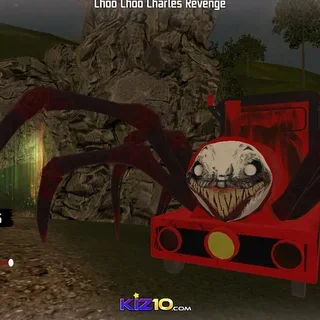
If you enjoy the tense atmosphere and camera management of Five Nights at Freddy's 3, check out other spine-chilling titles on the site. Granny Horror 2 challenges your stealth and problem-solving skills inside an eerie abandoned house, while Amanda the Adventurer turns retro children's television tapes into an unnerving psychological puzzle. For players who prefer immediate action and creature defense alongside tension, Choo-Choo Charles Revenge and Stickman vs Huggy Wuggy offer frantic encounters against relentless monstrous pursuers.
Five Nights at Freddy's 3 plays directly in any modern desktop or laptop web browser with no downloads or installation required. A responsive mouse and headphones are strongly recommended so you can pinpoint subtle audio cues in the dark.
Questions about Five Nights at Freddy's 3
Is Five Nights at Freddy's 3 unblocked at school?
Five Nights at Freddy's 3 runs in an ordinary browser tab from poppysplaytime.org, with nothing to download or install, so it plays on most school Chromebooks and work computers. If a network filter blocks the site, only that network's administrator can change it.
Can Phantom animatronics kill you in Five Nights at Freddy's 3?
No, Phantom animatronics cannot directly end your run. However, their jumpscares break your ventilation, cameras, or audio systems, making you extremely vulnerable to Springtrap.
How do you keep Springtrap away from the security office?
Open the monitor, find Springtrap on the cameras, and use the Play Audio button to lure him into adjacent rooms. Double-click vent feeds to seal ducts if he tries to crawl through.
What should you do when the ventilation system has an error?
Open your maintenance panel on the left and reboot the ventilation system immediately. Letting ventilation stay broken triggers hallucinations, flashing alarms, and blackout vision.
Do you need to download or install Five Nights at Freddy's 3 to play?
No downloads or extra software are required. The game runs directly inside your web browser on desktop computers, laptops, and Chromebooks.